
PCでブラウザ版 又は PC・スマホ版のアプリで参加できる。
JOMO JETのイベントに参加するにはPC版のアプリがおすすめです。

STEP 1: Discordをインストール
https://discord.com/downloadでダウンロードします。
STEP 2: アカウントの登録
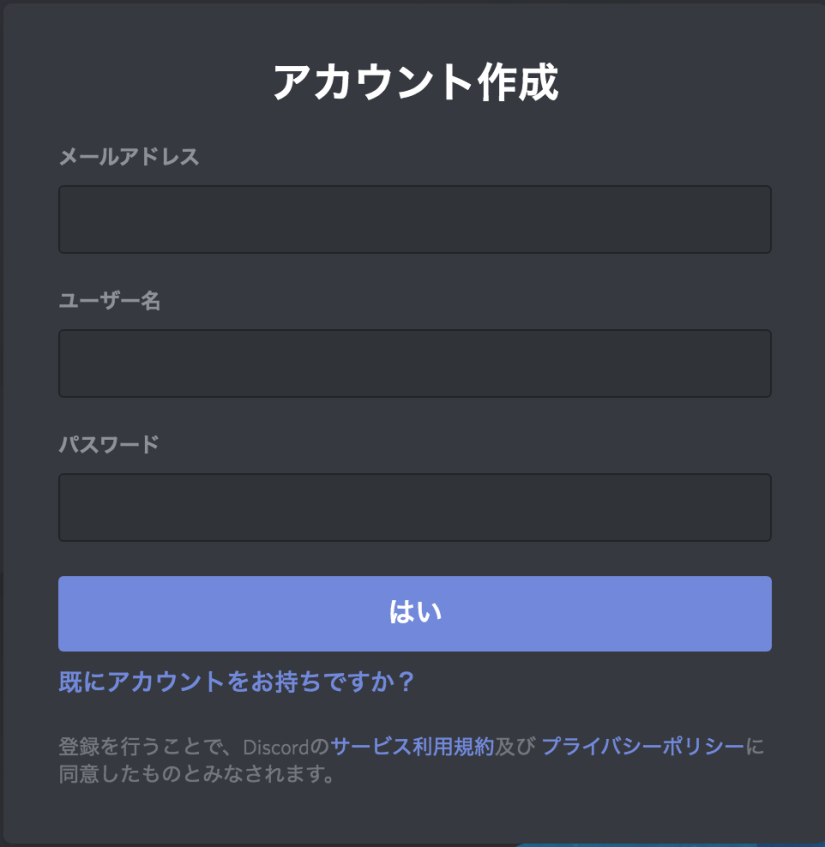
1. https://discordapp.com/register
で登録します。
2. メールアドレスを入力します。
3. ユーザー名を決めます。
注意点:
・適切なユーザー名をお願いします。
・個人情報を避けてください。
4. パスワードを決めます。
注意点:
・自分だけが覚えやすいようなものにしましょう。
・メモする場合は安全に保管しましょう。
・ユーザー名と違うものにしましょう。
STEP 3: JOMO JET Discordサーバーに参加
- JOMO JETのイベントに申し込みます:
gaikouka@pref.gunma.lg.jpに名前、年齢、DiscordのIDをお知らせください
重要な点:
DiscordのIDをお伝えいただく際には、以下の1〜3全てをお伝えください:
1. フルユーザーネーム(大文字小文字が区別されます)
2. “#”シャープ
3. Discordタグ(4桁数字)
例:gunmachan#8570 - お申し込みいただいたメールアドレスにJOMO JETのサーバーへの招待リンクが記載されたメールが送られます。
注意: ***招待リンクの有効期限は1日で切れます!*** - 招待リンクを使って、JOMO JETのサーバーに参加できます。お待ちしております!
関連情報
GETTING STARTED ON DISCORD
Two options: use browser on PC OR install smartphone or PC app
For JOMO JET events, the PC app will work best.

STEP 1: Install Discord
Download from: https://discord.com/download
STEP 2: Create an Account
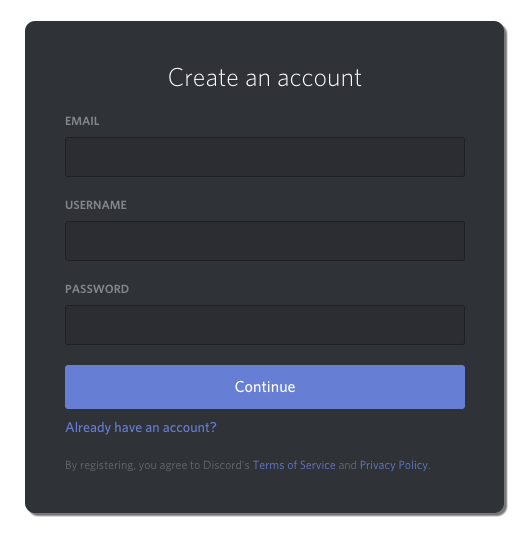
1. Go to: https://discordapp.com/register
2. Provide your email address.
3. Choose a username.
Tips:
・keep it family-friendly
・don’t give away personal information in your username
4. Choose a password.
Tips:
・make it memorable—to you only!
・if you write it down, make it secure!
・no connection to your username
STEP 3: Join the JOMO JET Discord Server
- First, register for the JOMO JET event!
Send an email with your name, age, and Discord ID to gaikouka@pref.gunma.lg.jp
・Please make sure to include the “#” character and four digits at the end.
Ex: gunmachan#8570 - You will receive an invitation to the JOMO JET server.
IMPORTANT: ***The link will expire in 1 day!*** - Use the link to join! See you there!
 JOMO JET - 国際交流 in Gunma!